

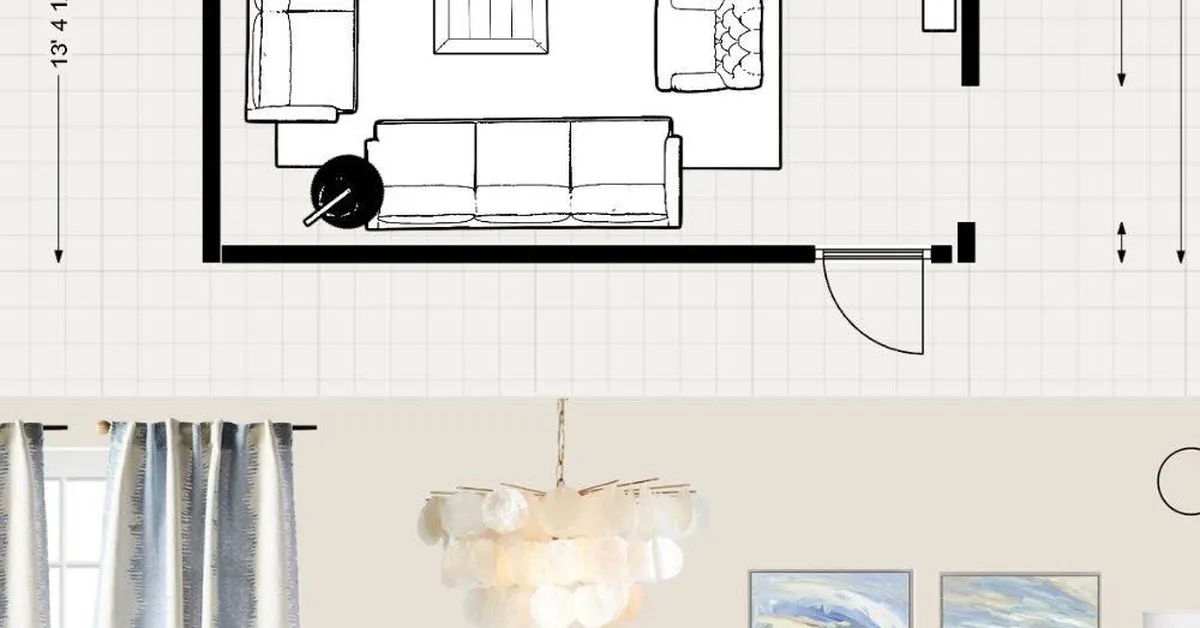
There’s a particular kind of frustration that comes with loving beautiful spaces but not having the budget to hire the people who typically create them. You’ve seen the magazine spreads the cantilevered staircases, the seamless indoor-outdoor transitions, the kitchens where every proportion feels inevitable rather than accidental. And then you look at your own project: a garage conversion, a backyard addition, maybe just a long-overdue kitchen gut. The gap between what you want and what you can afford to commission feels like a canyon.
But something has shifted in the last decade, quietly and without much fanfare. The tools that architects and interior designers use to plan, visualize, and refine their work have migrated from expensive proprietary workstations into consumer software, browser-based platforms, and even mobile apps. The knowledge that once lived exclusively inside expensive professional relationships is now, to a remarkable degree, accessible to anyone willing to spend time learning it. Virtual planning the practice of designing and iterating on a space digitally before a single wall is touched has become the great equalizer of residential architecture.
Why Professional Results Were Always About Process, Not Just Talent
Here’s what most people misunderstand about high-end architectural projects: the quality of the outcome has less to do with the designer’s raw talent and more to do with the rigor of the planning process. A seasoned architect charges what they charge partly because of taste and expertise, yes but also because they run a process. They draft, they model, they present, they revise. They catch the mistake where the window placement would have killed the natural light. They notice that the ceiling height in the proposed addition would feel oppressive relative to the existing rooms. They find these things before construction begins, when changes cost nothing but time.
That process iterative, visual, spatially honest is exactly what virtual planning tools now put in the hands of homeowners. The software doesn’t give you the architect’s years of experience, but it gives you the architect’s workflow. And that workflow, it turns out, is responsible for a surprising portion of what makes high-end projects feel considered rather than cobbled together.
The Spatial Imagination Problem
Most renovation disasters don’t happen because of bad contractors or cheap materials. They happen because the person making decisions couldn’t accurately visualize what they were approving. A floor plan is an abstraction. Dimensions on paper are almost meaningless to the untrained eye. “Eight feet” sounds like a lot until you’re standing in a room where eight feet is the ceiling height and the proportions feel like a shoebox.
This is where three-dimensional virtual modeling changes everything. When you can walk through a digital version of your proposed space rotating the view, adjusting the light source to simulate morning versus afternoon sun, swapping out the cabinet finish or the floor material in real time you’re no longer working from abstraction. You’re working from experience. You’re making decisions the way professionals make them: with spatial evidence in front of you.
Tools like SketchUp, Planner 5D, Roomstyler, and the more robust Archicad or Revit (the latter two with steeper learning curves but professional-grade output) have made this kind of visualization genuinely accessible. Some homeowners spend a weekend learning the basics and produce models that are good enough to hand to a contractor as a reference. Others go deeper, producing detailed renderings that inform everything from material procurement to permit applications.
What Virtual Planning Actually Catches
The real value isn’t in the pretty renders. It’s in what the process forces you to confront.
Take something as mundane as door swing clearance. In a physical renovation, this gets discovered when the door is already hung and it turns out it blocks the drawer you needed. In a virtual model, you place the door, you simulate its arc, and you immediately see the conflict. The fix costs nothing. Done in real life, it costs a carpenter’s day rate and your patience.
Or consider the relationship between a kitchen island and the surrounding traffic flow. There’s a widely cited ergonomic standard roughly 42 inches of clearance on working sides, 36 on non-working sides but understanding why that standard exists requires seeing it spatially. When you model your kitchen and realize your island placement leaves 28 inches on one side, you feel it before you build it. That’s the difference.
Lighting is another area where virtual planning pays outsized dividends. Recessed lighting placement looks intuitive on a plan until you render the space and realize you’ve created a grid of fixtures that will wash the walls in overlapping halos while leaving the countertops in relative shadow. Shadow simulation tools even basic ones reveal these problems in minutes.
The Collaboration Advantage Most DIYers Don’t Use
Here’s something that often goes overlooked: virtual models aren’t just for your own decision-making. They’re a communication tool, and a remarkably powerful one.
When you bring a contractor a hand-sketched plan or even a PDF floor plan, you’re handing them an interpretation problem. They will build what they think you mean. When you bring them a three-dimensional model with annotated dimensions, material callouts, and multiple viewpoints, you’ve collapsed the interpretation gap dramatically. Experienced contractors consistently report that clients who arrive with detailed virtual models even imperfect ones experience fewer change orders, fewer misunderstandings, and faster project timelines.
The same logic applies if you do hire a professional for part of the process. Some homeowners use virtual planning tools to develop a concept independently, then bring that concept to an architect or designer for a targeted consultation a few hours rather than a full engagement. The designer refines what the homeowner has already built, catches the errors, suggests the improvements. It’s a hybrid model that costs a fraction of full-service design while capturing much of its value.
The Learning Curve Is the Point
There’s a temptation to frame the learning curve of these tools as an obstacle. It isn’t. It’s the mechanism through which the value is delivered.
When you spend three hours trying to get a staircase to model correctly in SketchUp, you are, in the process, learning something fundamental about how staircases work the relationship between rise and run, the way headroom clearance interacts with floor-to-floor height, the reason certain configurations require a landing. You emerge from that frustration with knowledge you didn’t have before. You are, in a real sense, doing what architecture students do in their first years of school: learning to think spatially by being forced to resolve spatial problems.
This is why the DIY renovation projects that go best are rarely the ones where the homeowner knew everything at the start. They’re the ones where the homeowner was curious enough to sit with the complexity, to model and remodel, to let the software push back against their assumptions until something true emerged.
Materials, Budgets, and the Feedback Loop
Advanced virtual planning tools increasingly integrate with material libraries and cost estimation features. This creates a feedback loop that was previously only available inside professional project management systems. You select a tile, the software pulls a price per square foot, you see the material cost update in real time as you adjust the square footage of the application. You realize the marble you wanted for the entire bathroom floor is going to run $4,200 in material alone, and you make the decision deliberately, with full information to use it only as an accent and shift to a large-format porcelain for the field.
That’s not compromise. That’s design intelligence. It’s the same conversation a good designer has with a client, except you’re having it with yourself, and the software is holding the numbers honest.
The projects that come out looking expensive the ones where neighbors ask who the architect was are almost never the ones with the biggest budgets. They’re the ones where every decision was made with intention, where the proportions were considered, where the materials were chosen in relationship to each other rather than in isolation. Virtual planning is what makes that level of intention possible without a professional on retainer.
There’s something almost philosophical about it: the best-looking rooms are the ones that were thought about the most. The tools to do that thinking have never been more available, or more powerful. What’s left is just the willingness to use them.