
There’s a moment most homeowners know well. You’re standing in your backyard on a Saturday afternoon, coffee in hand, staring at the back of your house like it owes you something. The kids have outgrown their playroom. Your partner wants a proper reading nook. You’ve been fantasizing about natural light and open space for two winters now. The question isn’t whether to do something it’s what, exactly, to do.
Two options keep surfacing in your research: a sunroom or a full home extension. Both promise more space. Both cost real money. And both will change the way your home looks and functions for decades. The problem is that most people make this decision based on brochures, contractor sales pitches, and a vague gut feeling none of which are reliable guides when you’re committing anywhere from $30,000 to $150,000 of your savings.
This is precisely where 3D simulation technology has quietly become one of the most underused tools in residential planning.
The Decision Isn’t Just About Square Footage
People tend to frame the sunroom-versus-extension debate as a budget question. And yes, cost matters enormously. A prefabricated sunroom can run between $15,000 and $50,000 depending on materials and size, while a full brick-and-mortar extension typically starts around $60,000 and climbs steeply from there. But reducing the choice to dollars per square foot misses what’s actually at stake.
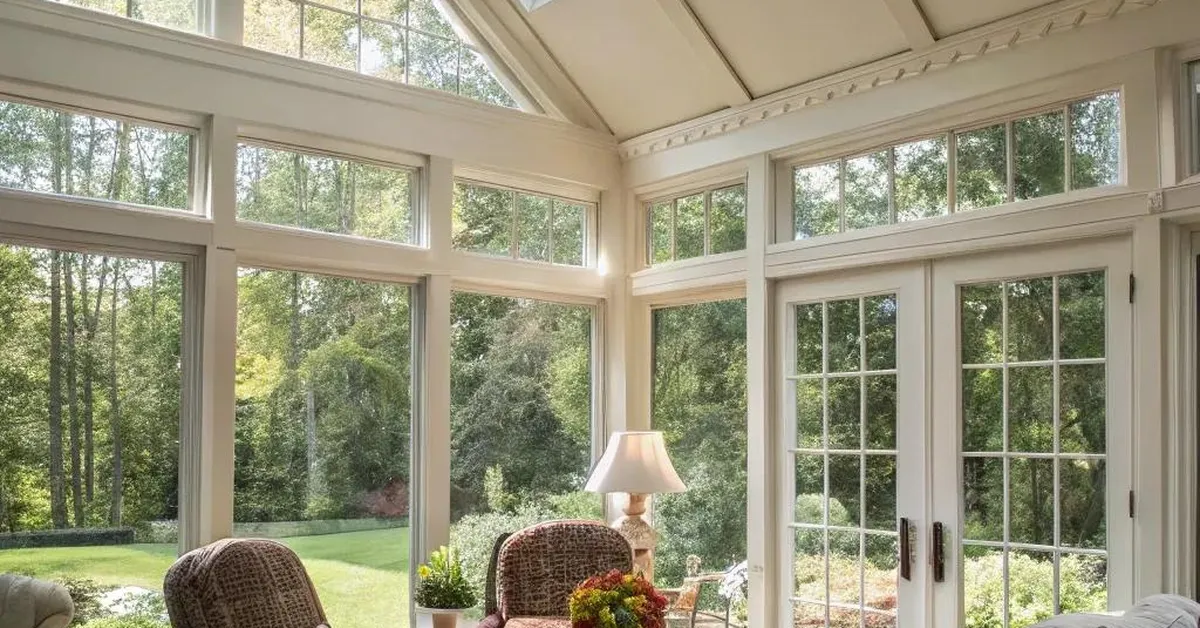
A sunroom is, by its nature, a transitional space part indoors, part outdoors, flooded with glass and light. It’s glorious in spring and autumn. In a Minnesota January or a Texas August, it can become the room nobody uses. Insulation, HVAC integration, and glazing quality determine whether your sunroom is a year-round sanctuary or a seasonal afterthought. These aren’t details you can fully grasp from a spec sheet.
A full extension, on the other hand, becomes genuine living space thermally consistent, structurally integrated, legally classified as habitable square footage in most jurisdictions. That classification matters when you sell. Estate agents consistently report that a well-executed extension adds between 10% and 20% to a property’s market value, while a sunroom’s contribution is harder to quantify and often more modest.
But here’s what neither camp tells you upfront: the right answer depends almost entirely on how your specific home sits on your specific plot, faces the sun, and connects to your existing floor plan. And that’s something you genuinely cannot evaluate with a tape measure and imagination alone.
What 3D Simulation Actually Shows You
Modern architectural visualization tools ranging from professional-grade software like Revit and SketchUp to consumer-friendly platforms like Homestyler and Cedreo have made it possible to model your home with striking accuracy before a single permit is filed.
When you commission or create a 3D simulation of your proposed sunroom, you’re not just looking at a pretty render. You’re seeing how winter light at a 20-degree sun angle actually enters that glass roof. You’re watching shadow patterns move across the floor in real time. You can rotate the model to understand whether your neighbor’s fence line will block afternoon sun entirely something that sounds obvious in retrospect but devastates homeowners who didn’t check.
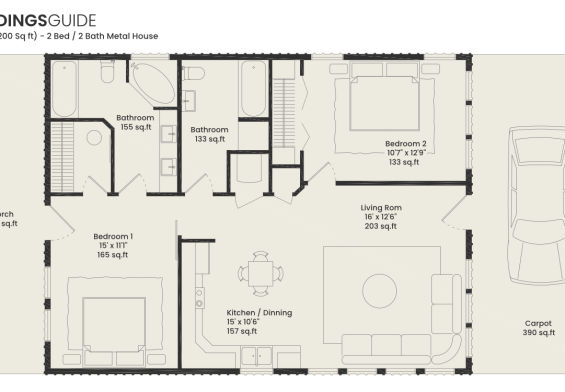
For an extension, the simulation reveals something different but equally critical: how the new structure changes the flow of your existing home. Does adding a rear extension create a dark corridor where your kitchen used to have a window? Does the roofline clash with the original architecture in a way that photographs terribly and subtly undermines curb appeal? Does the extension eat into your garden to the point where outdoor space which also has real estate value becomes negligible?
These are questions that experienced architects hold in their heads. Most homeowners don’t, and they shouldn’t have to. The simulation surfaces them visually, in a format anyone can read.
The Thermal Reality Nobody Talks About
One of the most revelatory uses of 3D modeling is thermal performance analysis and it’s the dimension most homeowners skip entirely because it sounds technical and boring. It isn’t.
A sunroom built with standard double-glazed panels on a north-facing rear elevation in a temperate climate will lose heat at a rate that makes it genuinely uncomfortable for roughly five months of the year. Upgrade to triple glazing with low-emissivity coating, add underfloor heating, and connect it properly to your home’s existing HVAC system, and you’ve transformed the thermal equation but also added $15,000 to $25,000 to your budget, which starts closing the gap with a proper extension.
Advanced simulation tools can now model this. They’ll show you projected heat loss in kilowatt-hours, estimated energy costs, and the temperature differential between your sunroom and the main house on a cold day. Some platforms integrate local climate data automatically. This isn’t hypothetical it’s physics applied to your actual address and orientation.
When homeowners run these numbers, the decision often shifts. A sunroom that seemed like the affordable option reveals hidden operating costs. An extension that seemed extravagant starts looking like the more rational long-term investment. Or the reverse happens: the simulation confirms that your south-facing plot with a sheltered microclimate makes a sunroom genuinely viable year-round, and the premium extension budget is overkill for your lifestyle.
Planning Permission and the Simulation Advantage
There’s a practical dimension to 3D modeling that goes beyond aesthetics and energy performance: the planning process itself.
In the United Kingdom, most sunrooms fall under permitted development rights, meaning you don’t need formal planning permission as long as they meet specific size and placement criteria. Extensions frequently cross into full planning applications, which require technical drawings, neighbor consultations, and approval timelines that can stretch to twelve weeks or longer.
A detailed 3D model accelerates this process considerably. Local planning authorities increasingly accept digital renders as supporting documentation. More importantly, the model lets you test your proposal against permitted development rules before you commit to a design checking whether your extension exceeds the 50% garden coverage limit, for instance, or whether your sunroom’s ridge height will require an exemption.
In the United States, where zoning rules vary wildly by municipality, the same logic applies. A simulation helps your architect identify setback violations or height restrictions before they become expensive redesigns. Some jurisdictions are now piloting digital submission portals that accept 3D models directly. The homeowners who arrive with professional-quality visualizations consistently report faster, smoother approval processes.
Making the Simulation Work for You
The practical question is how to actually access this technology without hiring a full architectural firm and spending thousands before you’ve decided anything.
Several routes exist. Dedicated home design platforms like Planner 5D or RoomSketcher offer surprisingly capable 3D tools at subscription prices between $5 and $30 per month. They won’t give you the precision of professional software, but they’re more than adequate for exploring basic configurations and understanding spatial relationships.
For anything involving structural changes, a one-off consultation with an architectural technologist not necessarily a full architect can produce a detailed 3D model for $500 to $1,500. That fee is trivially small relative to the cost of the project itself, and the clarity it provides is worth multiples of its price. Some builders now offer free or subsidized modeling as part of their quoting process, though it’s worth understanding that a builder’s simulation is optimized to sell you their preferred solution, not necessarily yours.
The most useful approach is to run simulations for both options side by side. Not to pick a winner immediately, but to understand what each choice actually looks like when it’s done not in the abstract, but in your home, on your land, in your light. Walk through the virtual extension. Sit in the simulated sunroom on a December afternoon. Ask the software what happens to the garden. Ask it where the shadows fall.
The decision you make after that process will be grounded in something real. Not a brochure. Not a neighbor’s renovation story. Not the contractor who called back fastest.
There’s something clarifying about seeing your future home before it exists about standing, virtually, in a room that hasn’t been built yet and asking yourself honestly whether it’s the room you actually want. Most people who go through that process describe the same thing: a moment where one option suddenly felt right in a way that no amount of research had managed to produce. The simulation didn’t make the decision for them. It just finally gave them enough information to trust their own judgment.